what are 3d printing files called?
What Are 3D Printing Files Called? A Guide for Hardware and Plastic Mold Prototyping
Before a 3D printer can produce a sample, it needs a digital model of the part. In manufacturing, this file carries the geometry that engineers want to turn into a physical component.
So, what are 3D printing files called? They are commonly called 3D model files or 3D printing files. The file format depends on how the part was designed and how it will be prepared for printing. For hardware manufacturers and plastic mold makers, choosing the right file format helps make rapid prototyping more reliable.
What Are 3D Printing Files Called?
There is no single file type used for every 3D printing project. Several formats are common, and each serves a different purpose.
STL Files
STL is one of the most widely used formats for 3D printing. It describes a model’s surface using a collection of triangles. Most slicing software can import STL files and prepare them for printing.
STL is often suitable for sample parts such as brackets, covers, housings, and other components used to check shape or assembly. However, STL files generally do not preserve information such as color, material, or manufacturing intent.
3MF Files
3MF is a newer format designed to carry more information than a basic STL file. Depending on the software and workflow, it can include model geometry, units, colors, materials, and other print-related data.
For projects that involve several components or more detailed print settings, 3MF may help keep information together in one file.
OBJ Files
OBJ is another format used to exchange 3D models. It can store geometry and, with supporting files, information about color and texture. It is often used when appearance is important, such as for visual samples or customer presentation models.
Which File Should You Send to a 3D Printing Supplier?
The right format depends on the supplier’s workflow and the information needed for the job. STL is widely accepted, while 3MF or OBJ may be useful for projects that require additional model details.
If the part has critical dimensions, provide a technical drawing as well. A 3D model shows the geometry, but a drawing can specify tolerances, material requirements, and other manufacturing details.
How CAD Files Are Used in Hardware Prototyping
From a Design Model to a Printed Sample
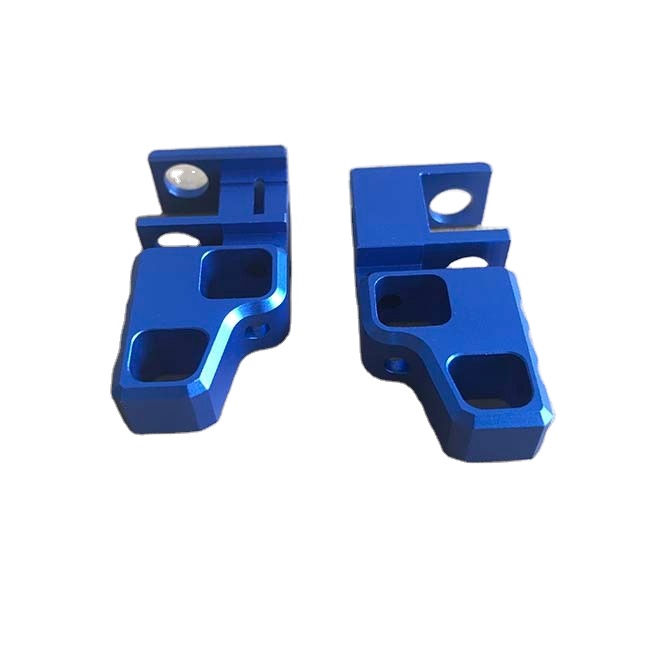
Hardware parts are often designed in CAD software and saved in a native format. The model is then exported to a format that the printing software can read.
For example, an engineer may design a bracket or enclosure, export an STL file, and send it to a 3D printing supplier. The supplier checks the model, prepares it in slicing software, and generates the instructions needed by the printer.
Checking Fit Before CNC Machining
A printed plastic sample can help confirm mounting positions, clearances, and assembly sequence before a metal part is machined. If a feature needs to move, the CAD model can be revised and another sample printed.
This is particularly useful for housings, mounting brackets, covers, and components with several mating surfaces.
A Printed Model Does Not Replace a Metal Prototype
A plastic sample can verify shape and basic fit, but it does not fully represent a finished metal component’s strength, weight, thermal performance, or surface finish. If these properties matter, a CNC-machined or die-cast prototype may be needed.

Using 3D Printing Files in Plastic Mold Development
Review the Part Before Making the Mold
Plastic product designs are often checked with printed samples before a mold is built. A sample can help the team review the shape, assembly features, and appearance of a housing, connector, cover, or plastic bracket.
The model can also support discussions between the product designer, mold maker, and customer. Changes can be made in the CAD file before tooling begins.
Keep Design Data Clear
A file used for printing may not contain all the information needed for injection mold production. Mold development may require additional details about material, shrinkage, draft angles, parting lines, and other design considerations.
Printed Samples and Molded Parts Are Not Identical
A 3D-printed part may differ from an injection-molded part in surface finish, strength, and dimensional behavior. Printed samples are useful for early design review, but they do not replace mold trials and validation with the intended production material.
Preparing a 3D Printing File for a Supplier
Check the Model Before Exporting
Make sure the model is complete and has the correct dimensions. Open the exported file to confirm that the geometry has not changed and that the part is oriented as expected.
Include Drawings and Requirements
For a manufacturing prototype, include a drawing when dimensions or tolerances are important. Also explain what the sample needs to verify—for example, appearance, fit, assembly, or a specific feature.
A Simple File Handoff Checklist
- Export the model in a format accepted by the supplier.
- Confirm the units and overall dimensions.
- Include a drawing for critical dimensions and tolerances.
- Specify the intended material and purpose of the sample.
- Identify any features that require special attention.
Final Thoughts: What Are 3D Printing Files Called?
3D printing files are often called 3D model files or print files, but the actual format may be STL, 3MF, OBJ, or another type supported by the workflow. Each format carries different information, so the best choice depends on the part and the supplier’s software.
For hardware manufacturing and plastic mold development, a clean, accurate file helps turn a design into a useful sample. Combined with clear drawings and requirements, it gives engineers a practical way to review a part before moving to CNC machining, mold tooling, or production.
what are 3d prints made of?
what all can you make with a 3d printer
Related Article