
How to Use a 3D Printer for Mold and Hardware Rapid Sampling
Author: SZTC
2026-07-31


Samuel Song Your service representative
Specializing in zinc-aluminum-magnesium alloy die-casting processing, CNC milling, CNC turning, 3D printing, injection molding and sheet metal processing. Manufacturing services.
-----------------------------------------------------------------------------------------------------------------------------------------------------------------------------------------------------------------------------------------------------------------------------------------------------------------------------------------------
3D printers have become essential equipment for rapid prototyping in plastic mold and hardware processing workshops. Many new operators want to know how to use a 3D printer correctly to produce high-quality mold samples and custom hardware fixtures. Standard operating procedures avoid printing failures, reduce material waste, and improve the efficiency of industrial rapid sampling.
1. Pre-Print Preparation Work
Learning how to use a 3D printer starts with complete preparation to ensure stable industrial printing results.
1.1 Model Optimization and Slicing
Prepare 3D models of mold cavities, hardware jigs and prototype parts. Fix mesh errors and add reasonable supports for complex structures. Import files into slicing software to set layer height, printing speed and precision parameters suitable for industrial sampling needs.
1.2 Equipment and Material Calibration
Clean the printing platform and calibrate leveling to prevent uneven printing. Load matched materials, including resin for delicate mold samples and tough filament for functional hardware parts, and check material supply to avoid interruption.

2. Standard Printing Operation Process
Mastering formal operation is the core of understanding how to use a 3D printer for manufacturing scenarios.
2.1 Start and Monitor Printing Tasks
Import the sliced file and start the printing program. Focus on the first several layers to confirm normal molding and adhesion. Continuously monitor the whole process to timely handle minor issues such as layer shifting or partial sagging.
2.2 Adjust Parameters During Operation
According to ambient temperature and structural complexity, fine-tune printing parameters properly. For thin-wall mold details, reduce printing speed; for thick hardware structural parts, increase filling density to ensure part firmness.
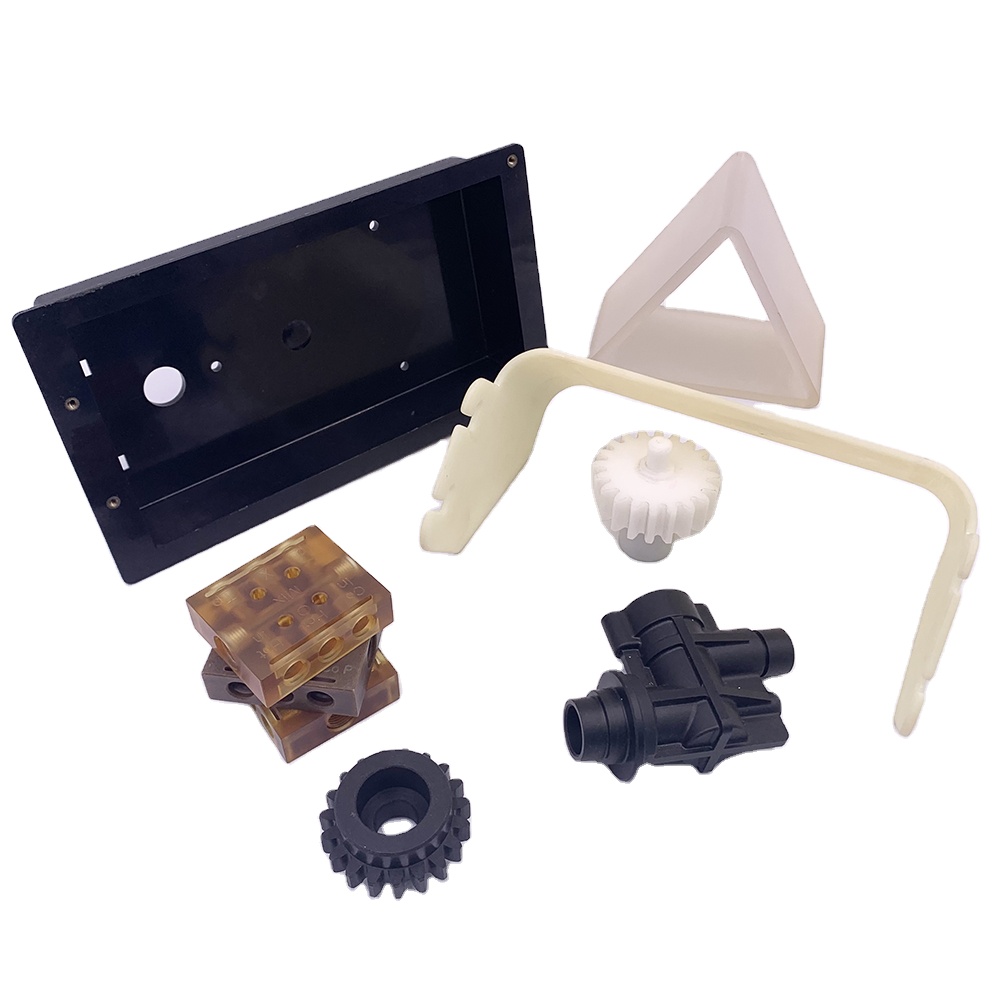
3. Post-Print Processing and Maintenance
Complete post-processing and maintenance to finish the full workflow of how to use a 3D printer.
3.1 Sample Finishing Work
Take out finished samples after printing is completed. Remove redundant supports, clean residual resin or debris, and conduct UV curing or surface polishing to meet mold verification and hardware assembly standards.
3.2 Daily Equipment Maintenance
Clean the printer tank, platform and nozzle regularly to keep the equipment in good condition. Standard maintenance ensures long-term stable operation and consistent sampling quality for batch mold and hardware prototype production.
In summary, proficiently knowing how to use a 3D printer helps mold and hardware factories achieve fast, low-cost and high-precision rapid sampling, greatly optimizing modern industrial product iteration efficiency.
How to Use a 3D Printer for Industrial Mold and Hardware Sampling
How to Price 3D Printed Items for Mold and Hardware Rapid Sampling
Related Article

A 3D printer is often associated with hobby projects, but its value goes far beyond making decorative objects. In manufacturing, it can produce quick samples that help engineers review a design before investing in machining, tooling, or mass production.
where to use a 3d printer?
Understand how the terms differ and how rapid prototyping supports hardware manufacturing, CNC machining, and plastic mold development.
is additive manufacturing the same as 3d printing ?

