
How to Create 3D Models for Printing for Free | Full Guide for Hardware & Mold Sampling
Author: SZTC
2026-09-29
For small and medium hardware processing factories and plastic mold workshops, commercial 3D CAD software subscriptions bring long-term operational costs, especially for daily rapid sampling and iterative prototype design. Most on-site technicians and beginner makers struggle with one practical question: how to create 3D models for printing for free while maintaining industrial precision for mold cavities, custom fixtures and functional hardware parts. Free modeling tools can fully support standard industrial 3D printing tasks if used correctly. This article shares a complete zero-cost modeling workflow, tool selection strategy and industrial design rules tailored for mold and hardware rapid prototyping, helping teams produce printable high-quality samples without expensive software licenses.
1. Best Free 3D Modeling Tools for Industrial Printing
Choosing the right free software is the first key step to solve how to create 3D models for printing for free. Different free tools have unique advantages for plastic mold appearance design and hardware functional structure modeling, covering beginner entry-level and professional industrial scenarios.
1.1 FreeCAD: Best Open-Source Tool for Hardware Structural Design
FreeCAD is a completely free, open-source parametric CAD solution with no usage limits, no document caps and no hidden fees, making it the top choice for hardware fixture, positioning jig and mechanical part modeling. It supports precise dimensional constraints, parametric editing, STEP and STL file export, fully matching industrial additive manufacturing standards. Different from entertainment modeling software, FreeCAD focuses on mechanical engineering logic, allowing users to design uniform wall thickness, standard hole positions and stress-balanced structures suitable for FDM and metal 3D printing. It perfectly meets the structural verification and strength testing demands of daily hardware rapid sampling.
1.3 Meshmixer: Free Mesh Repair & Optimization Tool
Fusion 360 offers a permanent free personal use license for non-commercial and small-batch sampling scenarios. It integrates parametric modeling, structural simulation and DFM optimization functions, supporting complex plastic mold cavity curved surfaces, conformal cooling channels and high-precision assembly structure design. Compared with fully open-source tools, its simulation and slicing linkage functions are more suitable for high-standard mold rapid sampling, realizing zero-cost professional-grade industrial modeling.
2.1 Standard Watertight & Manifold Structure
Unreasonable thin walls are the main cause of free model printing failure. Follow unified industrial thresholds: 0.8mm minimum wall thickness for SLA plastic mold samples, 1.2mm for FDM hardware functional parts, and 1.0mm for metal printing structures. Avoid abrupt thickness transitions; use uniform and gradual structural changes to balance thermal shrinkage and prevent warping deformation. All free modeling tools support precise thickness adjustment and dimensional calibration to meet industrial standards.
3. Step-by-Step Free Modeling Workflow for Rapid Sampling
Match free tools according to sampling demands. Use Tinkercad for ultra-fast simple hardware fixture and basic mold outline verification; apply FreeCAD for precise parametric design of load-bearing hardware parts and standard structural parts; adopt Fusion 360 personal license for complex plastic mold cavity and curved surface modeling; utilize Meshmixer for model repair and printable optimization. Reasonable tool matching improves modeling efficiency while ensuring zero cost investment.
3.3 Free Model Inspection & Defect Repair
Reserve 0.1mm to 0.2mm shrinkage compensation for assembly holes and positioning grooves according to printing materials. Optimize local stress concentration areas, add reinforcing ribs for long-strip hardware parts and large flat mold plates, and ensure structural stability during printing and testing. Confirm no redundant unprintable details to balance sample quality and printing efficiency.
4. Free Modeling Tips for Mold & Hardware Scenarios
When designing mold cavities with free tools, retain complete draft angles and avoid undercut structures that affect demolding verification. Simplify non-key decorative details and focus on core functional structures such as cooling channels and cavity grooves. Use Meshmixer to optimize surface smoothness, ensuring printed samples can truly simulate injection molding surface effects.
5. Common Free Modeling Mistakes to Avoid
Free tools may generate tiny mesh errors automatically. Direct printing without inspection will cause structural defects and sample scrapping, wasting time and material costs for rapid sampling.
5.3 Mixing Machining and Printing Design Logic
In conclusion, the definitive answer to how to create 3D models for printing for free is to select matched zero-cost tools, follow industrial printable design rules, and complete standardized modeling, inspection and optimization workflows. FreeCAD, Tinkercad, Meshmixer and Fusion 360 personal free license can fully meet the daily rapid sampling demands of plastic mold and hardware processing industries. With scientific structural optimization and strict mesh repair, zero-cost models can achieve industrial-grade precision and stability, completely replacing expensive commercial software for prototype iteration, structural verification and custom fixture production. Mastering free 3D modeling skills effectively reduces factory R&D costs, shortens product iteration cycles, and brings efficient and economical rapid prototyping solutions for small and medium manufacturing enterprises.


Samuel Song Your service representative
samuel@chnzhongzhu.com WhatsApp:+86 18688963321
Specializing in zinc-aluminum-magnesium alloy die-casting processing, CNC milling, CNC turning, 3D printing, injection molding and sheet metal processing. Manufacturing services.
How to Create 3D Print Designs: Industrial DfAM Guide for Hardware & Mold Sampling
How to Create 3D Models for Printing: Industrial Guide for Hardware & Mold Sampling
Related Article

For industrial buyers sourcing custom machined components, a thorough cost analysis for machined parts from your supplier is the foundation of fair pricing, reliable budgeting and effective quote comparison.
should cost analysis for machined parts from a supplier?
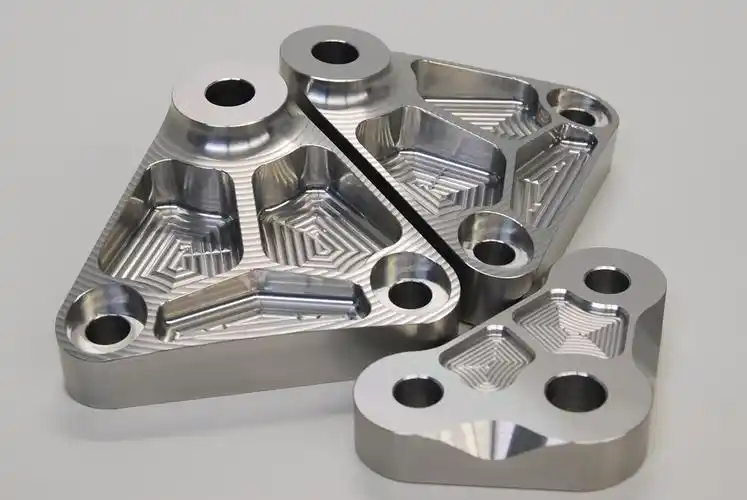
For industrial buyers sourcing complex precision components, 5-axis machining software is the core driver that unlocks the full capability of multi-axis CNC equipment.
how 5-axis machining software improves complex part production?

This guide is written for procurement engineers, maintenance leads and safety teams who need to specify or source machine guards rather than read a safety textbook.
what is the most dangerous part of machines?
This guide is written for procurement engineers, maintenance leads and safety teams who need to specify or source machine guards rather than read a safety textbook. It covers the hazard points that require protection, the guard types and standards our shop works to, the materials and fabrication options available, the industries they serve, and a selection checklist you can reuse on every guard RFQ.
which parts of a machine must be guarded?