
How to 3D Print STL File: Full Industrial Workflow for Mold and Hardware Sampling
Author: SZTC
2026-09-24
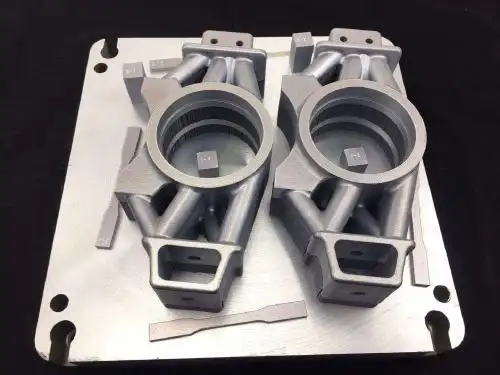
In the plastic mold and hardware processing industries, STL files are the universal standard format for 3D rapid prototyping. Almost all custom fixture designs, mold cavity prototypes and hardware functional samples are exported and printed in STL format. Unlike ordinary consumer 3D printing, industrial STL file printing requires strict file checking, structural optimization and parameter calibration to ensure printed samples meet assembly tolerance and strength testing standards. Many factory printing failures, dimensional deviations and surface defects stem from incorrect STL file processing. For manufacturing engineers and workshop operators engaged in fast sampling, the core operational question is clear: how to 3D print STL file correctly for stable and high-quality industrial output. This article breaks down the complete professional workflow tailored for mold and hardware rapid prototyping scenarios.
1. What Is an STL File for Industrial 3D Printing
Before mastering how to 3D print STL file, it is essential to understand the industrial attributes of STL format and why it dominates mold and hardware rapid sampling.
1.1 Core Features of Standard STL Files
STL (Standard Tessellation Language) is a universal 3D file format that converts complex CAD models into simple triangular mesh surfaces. It does not store parameter data or design history, only recording the spatial coordinates of model surfaces. This high compatibility allows STL files to be recognized by all mainstream industrial 3D printers and slicing software, including FDM, SLA, SLS and metal printing devices. For mold and hardware workshops, STL format realizes seamless conversion from design drawings to physical samples, becoming the most reliable carrier for rapid prototyping.
Qualified industrial STL files must be completely watertight and manifold. Non-watertight models with tiny holes, open edges and internal overlapping faces cannot generate complete slicing paths, resulting in printing interruption and structural defects. For thin-wall mold structures and intricate hardware accessories, mesh inspection should be more rigorous. Use professional mesh repair tools to fix broken surfaces, eliminate redundant internal faces and unify triangular mesh density to form a fully closed printable model.
Classified parameter setting is the key to differentiated industrial sampling. For high-precision plastic mold samples, reduce layer height to improve surface smoothness, adopt fine slicing mode to restore tiny cavity textures, and set low-speed printing to avoid layer deviation. For hardware structural fixtures, appropriately increase infill density and printing speed to balance strength and efficiency. For metal STL printing samples, enable high-density scanning and stress-resistant parameters to prevent thermal deformation and cracking.
Before starting printing, complete platform leveling, nozzle cleaning and material testing to ensure stable equipment operation. Import the G-code file converted from STL and start automatic printing. Monitor the first 10 layers closely to confirm normal base adhesion and uniform material stacking, avoiding base warping and offset that affect overall sample quality.
Many designers directly export STL files from CNC software without mesh repair. Defective meshes and non-watertight structures will cause printing collapse, hollowing and surface defects, resulting in sample scrapping and delayed project progress.


Samuel Song Your service representative
samuel@chnzhongzhu.com WhatsApp:+86 18688963321
Specializing in zinc-aluminum-magnesium alloy die-casting processing, CNC milling, CNC turning, 3D printing, injection molding and sheet metal processing. Manufacturing services.
How to 3D Printer: Complete Industrial Operation Guide for Mold and Hardware Fast Sampling
How to 3D Print Metal: Industrial Guide for Hardware and Mold Rapid Sampling
Related Article

Machine parts are essential crafting materials in Fortnite: Save the World. They are used to craft weapons and traps, so running short can slow down mission progress.
what is the meaning of machining?
In hardware machining and plastic mold manufacturing, machines use rotating, cutting, pressing, and moving components to shape materials. These parts can create serious hazards if workers come into contact with them during operation.
what is machining?
Machine parts are essential crafting materials in Fortnite: Save the World. They are used to craft weapons and traps, so running short can slow down mission progress.
how to collect machine parts in save the world?
In hardware machining and plastic mold manufacturing, machines use rotating, cutting, pressing, and moving components to shape materials. These parts can create serious hazards if workers come into contact with them during operation.
which of the following machine parts always require guards?