how does cnc machining software supports complex parts?
How Does CNC Machining Software Support Complex Parts?
Manufacturing complex parts is not just about having advanced CNC machines. It also requires reliable software to translate engineering designs into accurate machining operations. From precision aluminum housings and custom metal brackets to plastic mold components, modern CNC machining software helps manufacturers produce parts with complicated shapes, tight tolerances, and demanding surface requirements.
So, how does CNC machining software support complex parts? It connects product design with actual manufacturing by helping engineers prepare models, select cutting tools, generate machining paths, simulate operations, and reduce production errors.
For hardware manufacturers and plastic mold makers, CNC software also works alongside 3D printing technology. While 3D printing is useful for producing rapid prototypes and checking product designs, CNC machining provides the accuracy and surface quality required for many functional metal and mold components.

1. Turning Complex Designs into Machinable Models
The first challenge in manufacturing a complex component is understanding its geometry and preparing a suitable digital model.
CAD Software for Product Design
Computer-Aided Design (CAD) software allows engineers to create detailed 2D drawings and 3D models before production begins.
For example, a custom aluminum housing may include curved surfaces, mounting holes, internal cavities, ribs, and threaded features. A plastic injection mold component may have complex cavity shapes and precisely positioned cooling channels.
CAD software helps engineers define these features accurately and make design changes without rebuilding the entire model.
Preparing Models for Manufacturing
A design that looks correct on screen is not necessarily easy to machine. Engineers must consider tool access, material removal, wall thickness, machining direction, and fixture requirements.
CNC software helps identify potential manufacturing difficulties before production starts. This is particularly important for components with deep cavities, narrow grooves, thin walls, and complicated contours.

2. Generating Accurate Toolpaths for Complex Geometry
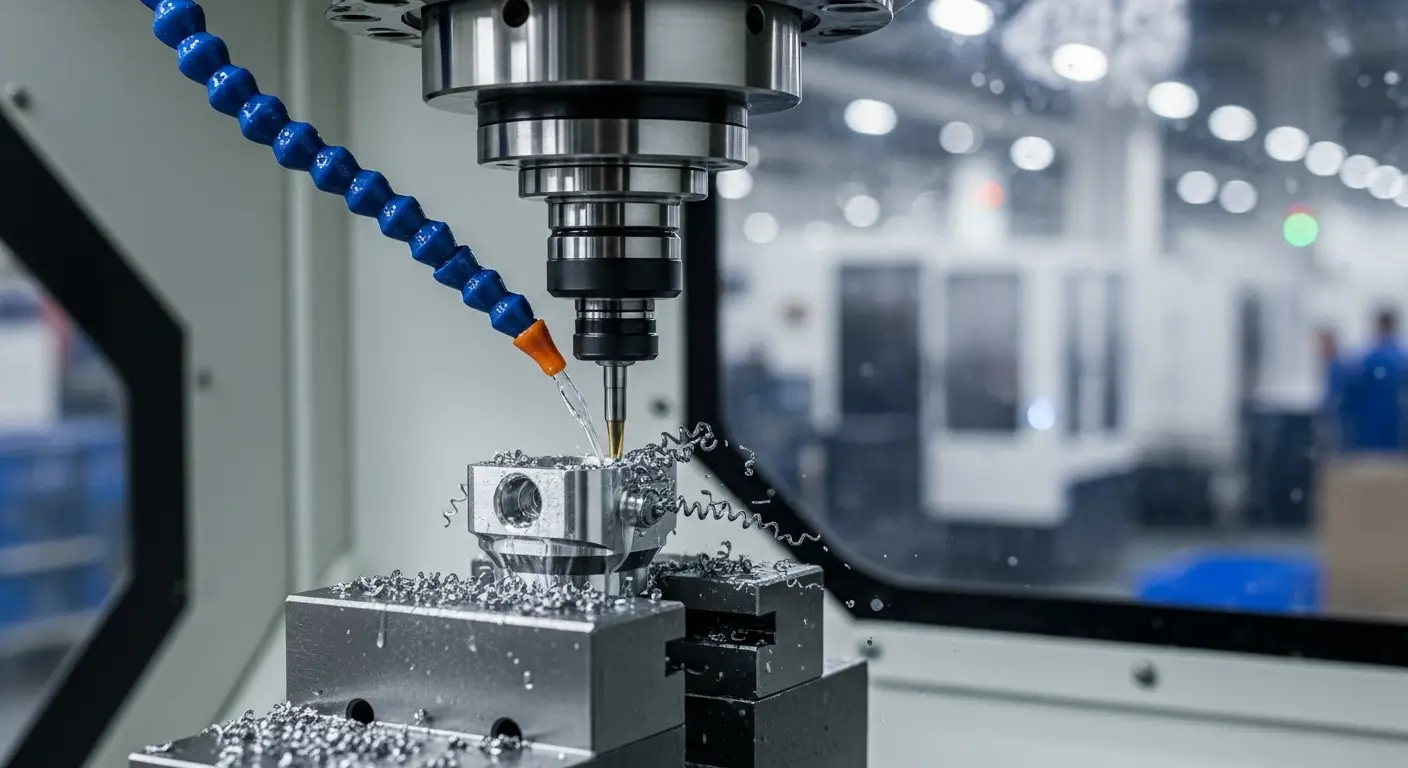
One of the most important functions of CNC machining software is generating toolpaths. These paths determine how cutting tools move through the material to create the required shape.
2.1 Supporting Multiple Machining Operations
CAM (Computer-Aided Manufacturing) software converts CAD models into machining instructions. Depending on the part, engineers can program different operations, including:
- CNC milling for slots, pockets, and complex surfaces.
- CNC turning for cylindrical components.
- Drilling and tapping for holes and threaded features.
- Contour machining for curved profiles.
- Finishing operations for improved surface quality.
By organizing these operations into a suitable sequence, CAM software helps reduce unnecessary tool changes and machining time.
2.2 Handling Multi-Axis Machining
Some components cannot be manufactured efficiently using only three-axis machining.
Five-axis CNC machining allows the cutting tool or workpiece to move along additional rotational axes. This makes it possible to machine multiple faces and complicated surfaces with fewer setups.
For example, aerospace-style brackets, precision mold inserts, and components with angled features may benefit from five-axis machining.
Software calculates the tool orientation and movement while helping prevent collisions between the cutting tool, workpiece, and machine structure.

3. Reducing Errors Through Machining Simulation
A programming mistake can damage an expensive workpiece, break a cutting tool, or even cause a machine collision.
CNC simulation software helps manufacturers check machining operations before running them on the actual machine.
Checking Toolpaths Before Production
Engineers can simulate cutting movements and review how material will be removed.
This helps identify problems such as:
- Tool collisions with fixtures or workpieces.
- Incorrect cutting directions.
- Excessive tool engagement.
- Unmachined areas.
- Potential overcutting.
- Unnecessary tool movements.
For complex metal parts and plastic mold components, simulation is especially useful because a single programming error may result in significant material waste and rework.
Improving Machining Efficiency
Simulation also allows engineers to compare different machining strategies.
They can adjust cutting parameters, tool selection, and machining sequences to achieve a better balance between production time, tool life, and surface quality.

4. Combining CNC Machining with 3D Printing for Rapid Prototyping
CNC machining and 3D printing are not competing technologies in every manufacturing project. In many cases, they work better together.
3D printing is particularly useful during the early development stage, when engineers need to evaluate a design before investing in expensive tooling or full-scale production.
4.1 Using 3D Printing to Produce Early Samples
A 3D printer can turn a digital model into a physical prototype relatively quickly.
For example, when developing a new plastic product housing, engineers can print a sample to check its dimensions, appearance, assembly structure, and overall design.
Similarly, a printed prototype of a metal bracket can help evaluate mounting positions and component clearance before CNC machining begins.
This approach helps identify design problems earlier in the development process.

4.2 Moving from 3D Printed Prototypes to CNC Machined Parts
Although 3D printing is useful for rapid samples, it may not provide the material properties, dimensional accuracy, or surface finish required for the final product.
Once the design has been verified, CNC machining software can prepare the model for manufacturing in aluminum, steel, stainless steel, or engineering plastics.
The two processes can therefore form a practical development workflow:
- Create a 3D CAD model.
- Produce an initial prototype through 3D printing.
- Check dimensions, assembly, and functional requirements.
- Revise the digital model if necessary.
- Generate CNC toolpaths using CAM software.
- Machine the final metal or plastic component.
- Inspect the finished part against the engineering drawing.
This workflow is useful for custom hardware parts, plastic mold development, and low-volume production.
5. Supporting Precision in Plastic Mold Manufacturing
Plastic injection molds often contain complicated cavity profiles, core structures, cooling channels, and precision mating surfaces.
CNC machining software helps mold manufacturers manage these features with greater control.
Machining Mold Cavities and Inserts
CAM software can generate toolpaths for roughing, semi-finishing, and finishing operations.
Different cutting tools and strategies are selected according to the geometry and required surface quality.
For deep cavities and curved mold surfaces, suitable toolpath planning helps reduce machining marks and improve consistency.
Managing Design Changes
Mold development often involves several design revisions after initial samples are tested.
When the product geometry changes, engineers can update the CAD model and regenerate the relevant machining paths.
This reduces the need to manually reprogram every operation and helps shorten the mold modification process.
6. Choosing the Right CNC Software
Different software packages are designed for different manufacturing requirements. The best choice depends on part complexity, machine configuration, production volume, and engineering experience.
Some widely used solutions include:
- Autodesk Fusion: Combines CAD and CAM functions for product development and CNC programming.
- Mastercam: Commonly used for milling, turning, and multi-axis machining.
- Siemens NX: Supports advanced product design, manufacturing, and complex machining workflows.
- SolidCAM: Provides integrated CAM functions for various CNC machining applications.
The software itself is only one part of the process. Skilled programmers, suitable cutting tools, stable fixtures, and well-maintained machines remain essential.
7. Final Thoughts
So, how does CNC machining software support complex parts? It helps manufacturers transform complicated digital designs into practical machining processes through accurate modeling, toolpath generation, multi-axis programming, and machining simulation.
For hardware machining, this means better control over complex metal components, including housings, brackets, plates, and precision mechanical parts. For plastic mold manufacturing, it supports accurate cavity machining, mold insert production, and efficient design revisions.
When combined with 3D printing for rapid prototyping, CNC machining software becomes even more valuable. Engineers can test product designs with printed samples, make necessary adjustments, and then move to CNC machining for functional components and precision tooling.
The result is a more flexible product development process, fewer avoidable manufacturing errors, and a smoother transition from prototype to production.
What Does Machining Mean
how to check flatness on a machined part?
Related Article